
SeqMan Pro - New Features Added in version 8.1
Sequence Assembly, Contig Management, and SNP Discovery
» Printable PDF overview for SeqMan Pro
» View tutorial Training videos of SeqMan Pro and other Lasergene applications
SeqMan Pro has two primary, complementary functions:
- To support visualization and analysis of Next Generation Sequence assemblies, including projects assembled by SeqMan NGen.
- To be a standalone sequence assembly tool for Roche 454 Life Sciences Next Generation data or Sanger data.
New Features in Lasergene v8.1
- Expanded performance capacity supporting work with larger data files
- Enhanced SNP filtering capabilities
- A Neighborhood Quality Score algorithm for use when identifying SNPs
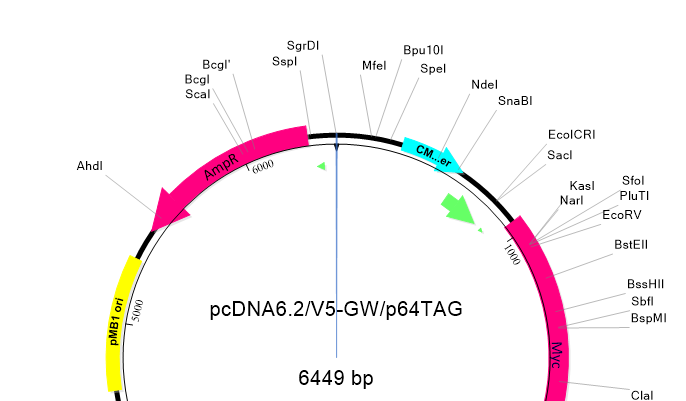
- Integration with GenVision to facilitate publication-quality graphics
- "Assemble in Groups" feature which enables assembly of certain groups of sequences separately, each into its own contig
- The ability to BLAST mutliple contigs simultaneously
SeqMan Features
Discover SNPs
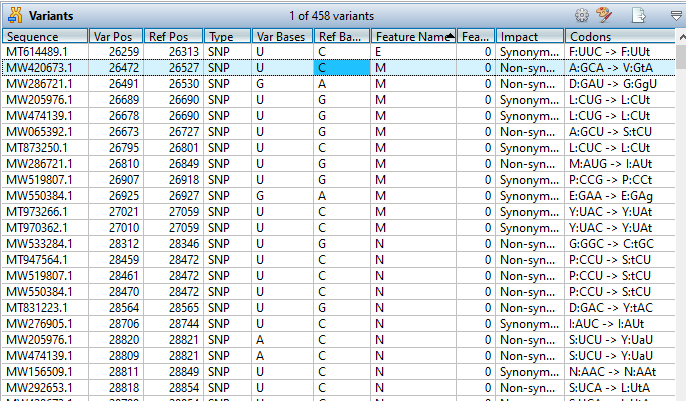
- Live, interactive SNP reports allow you to view information about a putative SNP while at the same time, viewing it in the context of the Alignment View.
- Multiple filters enable you to control which SNPs to review. For example, you may only show SNPs that occur a certain distance from a coding feature, show only novel SNPs, or show only SNPs that occur within a certain depth of coverage.
- SNP Discovery parameters allow customization of the criteria SeqMan uses to identify putative SNPs.
Annotate Your Project
- Easily copy features from constituent sequences to the consensus sequence.
- Add features to the consensus sequence through BLAST searching.
- Annotate sequence files with features prior to assembly to display them in the Alignment View.
- Export the consensus sequence to SeqBuilder to see SeqMan's auto-annotation of features for areas of high and low coverage, as well as confirmed SNPs.
Analyze Coverage
- Use the Coverage Threshold graph to view coverage within the assembly as it compares to the threshold parameters.
- Review the Depth of Coverage graph to see the depth of sequences throughout the assembly. The numbers to the left of the graph indicate the actual number of sequences represented.
- Access the Coverage Report to view the coverage information for the currently selected contig(s). The All Coverage tab lists information for each distinct region of coverage in the selected contig(s); Below Coverage lists information for only the areas of coverage that fall below the specified coverage threshold.
Export Data for Further Analysis
- Export the consensus sequence for one or more contigs, with or without gaps and layout features (representing each constituent sequence). If desired, you may limit the export to a range of the consensus.
- Export the consensus sequence to SeqBuilder for designing primers for regions of low coverage, automatically annotated by SeqMan.
- Export your project to GenVision for a publication-quality graphical image of the assembly.