

Date: 2/24/25
Version Affected: Lasergene 18.0
Version Fixed: Possibly in Lasergene 18.1, but not formally verified
Issue: Attempting to launch SeqBuilder Pro or Protean 3D when McAfee antivirus software is running on the same machine results in the error message: “<Application Name> Fatal Error. Couldn’t find a valid data manager executable. C:\Program Files (x86)\DNASTAR\Lasergene 18\<filename>.” The only option is to press OK, which causes the SeqBuilder Pro or Protean 3D to close.
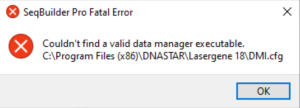
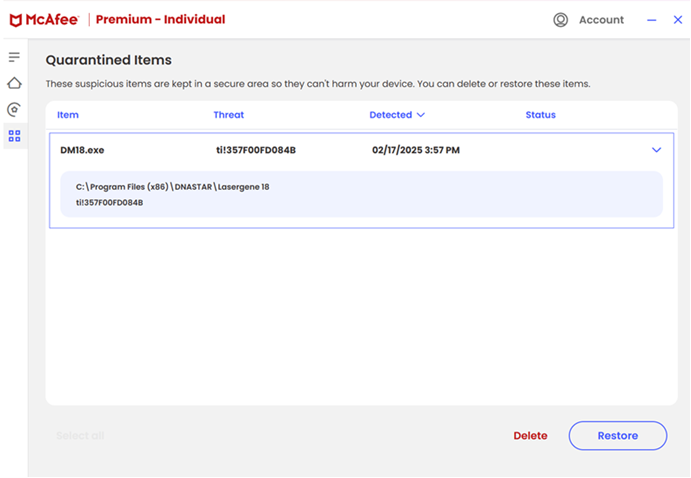
This occurs when McAfee antivirus unnecessarily quarantines either or both of the Lasergene files: DM18.exe and DMI.cfg. Simply going to your McAfee quarantine folder and restoring the files manually (as in the image below) does not work, as McAfee will quarantine the files again the next time you attempt to launch SeqBuilder Pro or Protean 3D.
Resolution: We believe this issue was resolved with the release of Lasergene 18.1, but have not done formal testing. If you are still seeing this issue, it may be avoided by updating to the current version of Lasergene. Otherwise, you can use either of these workarounds:
• Remove or disable McAfee antivirus software on the machine where you want to use SeqBuilder Pro or Protean 3D.
• Contact McAfee support directly and request that any items from any DNASTAR or Lasergene folders be whitelisted for your account.


Leave a Reply
Your email is safe with us.